
























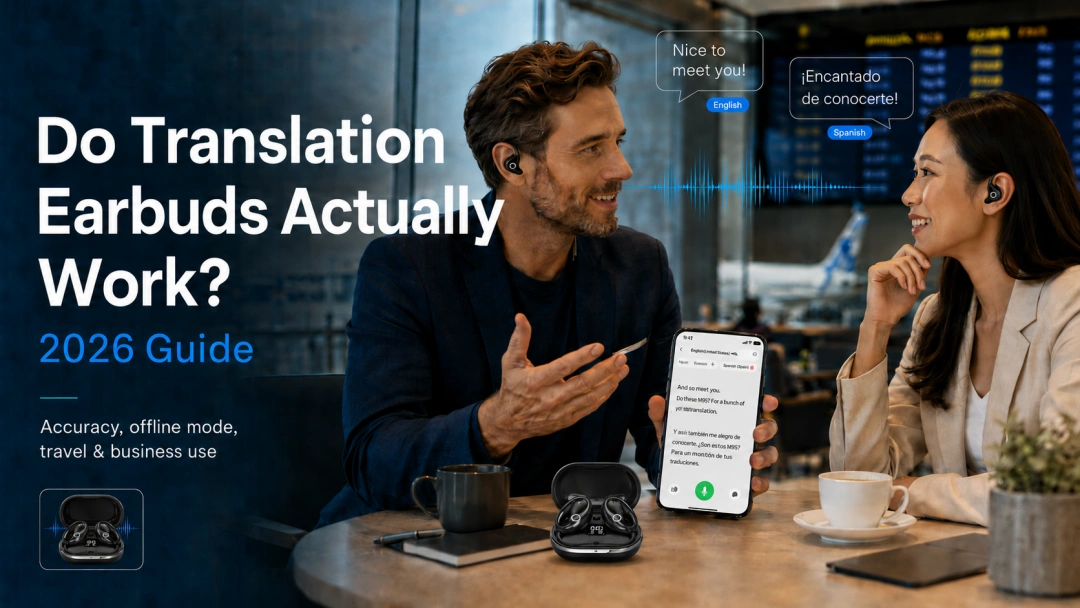
Yes—translation earbuds really can make everyday conversations across languages easier. They work best for clear, one-to-one speech in supported languages: asking for directions, ordering food, speaking with a hotel employee, meeting an overseas client, or talking with multilingual friends and family.
They are not flawless universal translators, however. Background noise, overlapping speakers, very fast speech, strong regional slang, weak connectivity, and technical terminology can all reduce the quality of a translation. Even the best AI translation earbuds should not replace a qualified human interpreter in legal, medical, safety-critical, or other high-stakes situations.
This guide is for travelers, international professionals, language learners, and families who want a realistic answer before buying. You will learn what translation earbuds can do in 2026, what affects their accuracy, how offline translation differs from online translation, and whether the Lavnov M91 or M95 better fits your needs.
Quick answer: Translation earbuds work well as a practical communication aid, especially when people speak clearly and take turns. Expect a short processing delay and occasional mistakes—not perfect simultaneous interpretation. Choose a model based on its supported language pair, conversation modes, offline access, microphone quality, comfort, and app experience.
What Does “Work” Mean for Translation Earbuds?
Lorem ipsum dolor sit amet, consectetur adipiscing elit. Ut elit tellus, luctus nec ullamcorper mattis, pulvinar dapibus leo.
“Works” should not mean producing a perfect translation of every sentence. A more useful test is whether the earbuds help two people complete a real task with less confusion.
For example, can you confirm a hotel reservation, explain a dietary restriction, understand a price, arrange a meeting time, or have a basic social conversation? If the device helps both speakers exchange the intended meaning without repeatedly reaching for a phrasebook, it is doing useful work.
Here is a realistic way to judge performance:
| Situation | What You Can Reasonably Expect |
|---|---|
| Directions, prices, check-in, and simple questions | Usually a strong use case when speech is clear. |
| One-to-one travel conversation | Often natural enough when both speakers take turns. |
| International business introductions | Helpful for general discussion and follow-up questions. |
| Meetings and lectures | Useful for comprehension, transcription, or summaries; important details should be verified. |
| Noisy restaurants, stations, or trade shows | Results vary with microphone placement and surrounding voices. |
| Slang, jokes, idioms, or rapid speech | The meaning may be simplified or misunderstood. |
| Medical, legal, contractual, or emergency decisions | Use a qualified human interpreter whenever accuracy is critical. |
This distinction matters because marketing often reduces translation performance to one percentage. Real conversation is more complicated. A device may translate a short travel sentence very well and still misunderstand a name, an address, or an idiom moments later.
How Do Translation Earbuds Work?
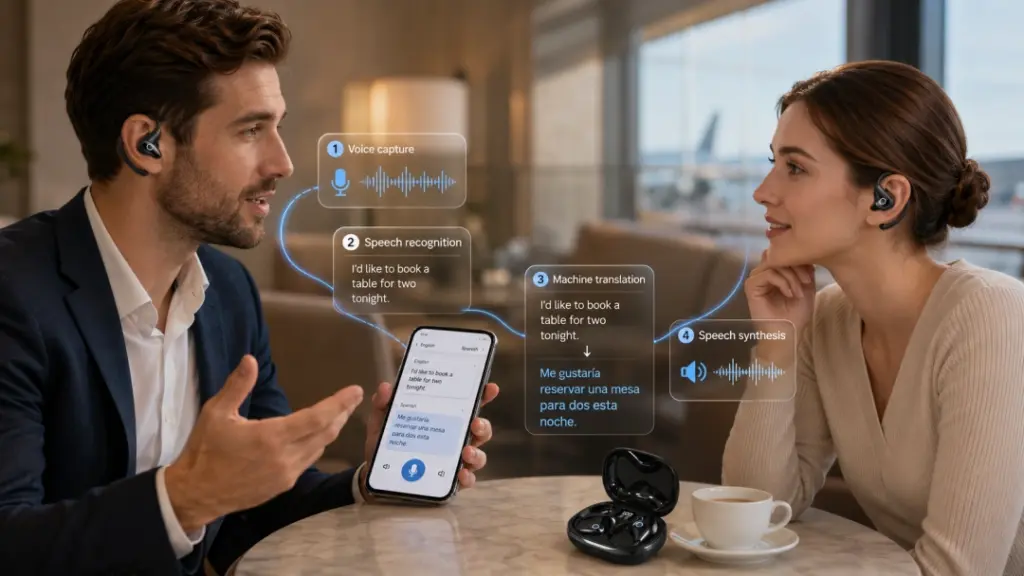
Most translation earbuds combine four technologies:
1. Voice capture:The earbud or phone microphone records the speaker.
2. Speech recognition: Software converts the audio into text.
3. Machine translation: An AI system translates that text into the selected language.
4. Speech synthesis:The translated text is played as audio through an earbud or the phone speaker.
Microsoft’s official overview of real-time speech translation describes the same core flow: live audio can produce translated text and synthesized speech output. Consumer translation earbuds package that process into a wearable interface connected to a companion app.
That is also why the app matters. In many systems, the earbuds capture and play audio while the phone and translation service perform much of the language processing. Bluetooth stability, phone permissions, language selection, app design, and internet quality can therefore influence the experience.
For a more technical explanation, read our guide tohow translation earbuds work.
How Accurate Are Translation Earbuds in Real Life?
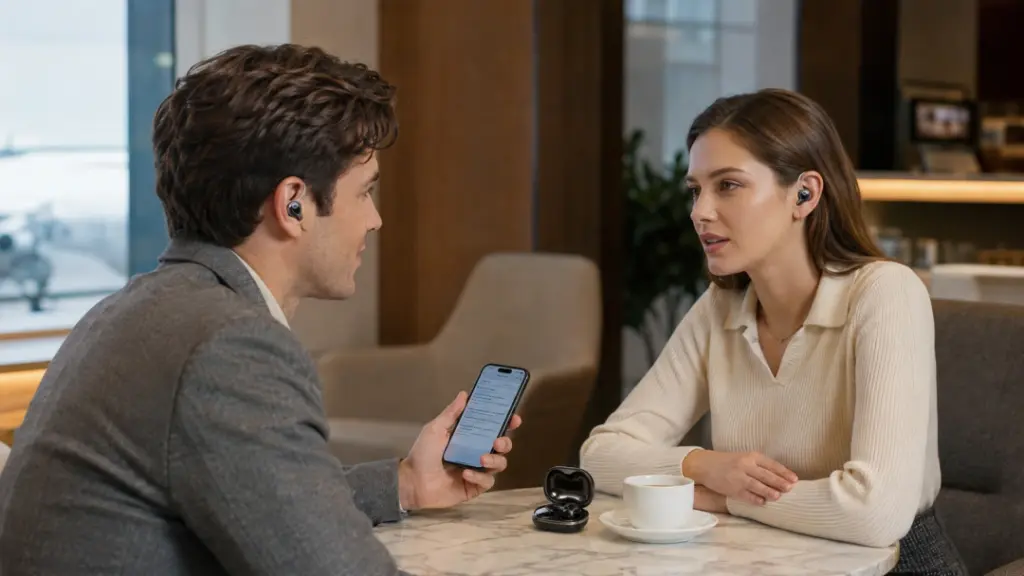
There is no single honest accuracy number for every user, language, accent, and environment. Product specifications may report results achieved under selected conditions, but your experience will depend on several variables.
1. Microphone distance and background noise
The translation can only be as reliable as the speech recognition at the beginning of the process. If the system hears the wrong words, even an excellent translation model will translate the wrong sentence.
Google Cloud’s official Speech-to-Text best practices recommend keeping the microphone close to the speaker, particularly when background noise is present, and avoiding distorted or clipped audio. In practical terms, a quiet hotel lobby is easier than a crowded train platform where several people are speaking at once.
2. Speaking speed and sentence structure
Short, complete sentences are generally easier to process than long, interrupted thoughts. Pausing briefly between ideas gives the system a clear segment to recognize and translate.
You do not need to speak like a robot. Simply avoid racing through multiple questions, swallowing words, or changing direction halfway through a sentence. Instead of saying, “We were wondering if maybe you had a room—not tonight, actually tomorrow, unless Thursday is cheaper,” ask one clear question at a time.
3. Language pair, accent, and vocabulary
Common language pairs usually benefit from more training data than less widely used combinations. Strong regional accents, names, specialist vocabulary, brand names, and local slang add difficulty.
Research into speech-to-speech translation also treats speaker and accent variation as a significant technical challenge. Meta AI researchers, for example, have explored speech normalization across different speakers and accents to improve real-world speech translation. The technology continues to improve, but it still benefits from clear wording and context.
4. Online versus offline processing
Online translation can access larger cloud models and normally supports more languages. Offline translation uses language data stored locally on the phone or app, which makes it useful without Wi-Fi but usually limits the available languages or features.
5. The selected conversation mode
The best mode depends on the setting:
- Speaker Mode is convenient for short exchanges because the other person can hear the translation from your phone without wearing an earbud.
- Touch Mode helps control whose speech is captured in a noisy place.
- Free Conversation Mode can feel more natural in a quiet, one-to-one conversation.
- Offline Mode is useful when you have prepared the required language pack before losing connectivity.
Choosing the wrong mode can make a capable device feel awkward. For example, automatic conversation detection may be convenient in a quiet room, while push-to-talk control may be more dependable on a busy street.

When Translation Earbuds Work Best
Translation earbuds are at their most useful when the conversation has a clear purpose and both people cooperate with the process.
Travel tasks
They can reduce friction when checking in, ordering a meal, asking how to reach a station, discussing a price, or explaining a simple problem. Speaker Mode is particularly practical when you do not want to share an earbud with a stranger.
One-to-one conversations
When two people take turns and speak in complete sentences, translation earbuds can preserve more eye contact than repeatedly typing into a phone. The technology does not remove every pause, but it can make the interaction feel more personal.
International work
Translation, transcription, and meeting-summary features can help users follow the general meaning of a multilingual discussion and review it afterward. Names, numbers, deadlines, prices, and contractual terms should always be confirmed in writing.
Language learning support
Learners can use translated audio as a comprehension aid or to check whether a phrase conveys the intended meaning. The earbuds should supplement—not replace—listening practice, vocabulary study, and feedback from fluent speakers.

When They May Struggle
Knowing the limitations makes the product more useful, not less.
Multiple people speaking at once
Overlapping voices make it harder for the system to identify one clean speech stream. In group conversations, ask one person to speak at a time or use a controlled meeting mode.
Music, television, and distant speakers
Sound effects, room echo, and background music can interfere with voice capture. Translation earbuds may help with clear lectures, interviews, or news broadcasts, but they are not guaranteed to translate every line of a fast-moving film.
Humor, idioms, and cultural references
AI may translate the literal words while losing the joke or social meaning. If a result sounds strange, ask the speaker to rephrase it in simple, direct language.
High-stakes information
Do not rely on consumer translation earbuds as the only source of meaning for a diagnosis, medication instruction, legal statement, immigration interview, contract, or emergency warning. Use professional language assistance and confirm critical details in writing.
The expectation of zero delay
“Real time” does not always mean “simultaneous.” The system needs time to detect speech, recognize it, translate it, and play the result. A brief delay is normal. Clear turn-taking is usually more effective than trying to speak over the translation.
Do Translation Earbuds Work Without Internet?
Some do—but offline support must be checked by model and language pair.
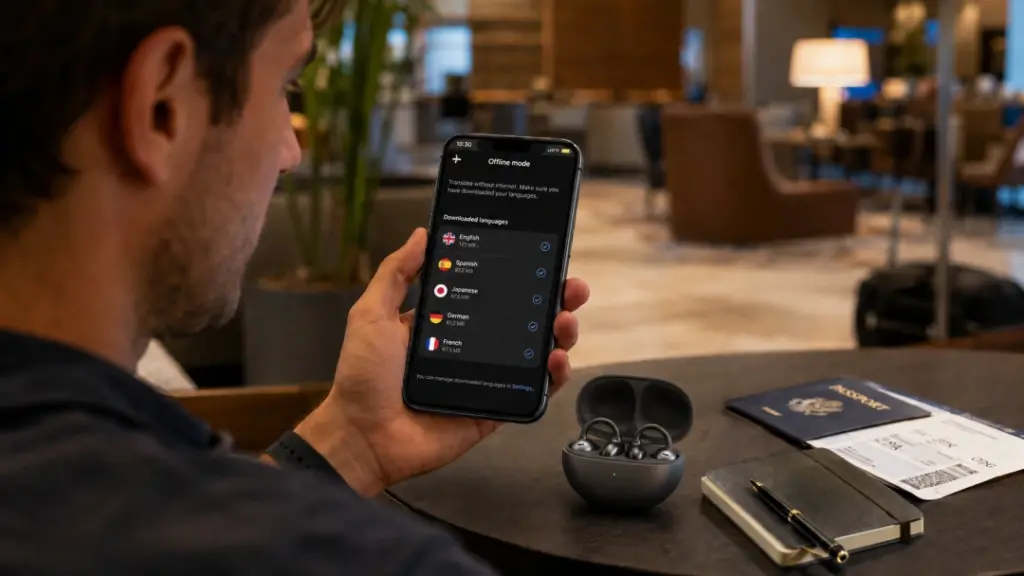
Offline translation normally requires language data to be downloaded before the conversation. Google’s official instructions for using downloaded languages offline illustrate the same general principle: the required language file must be available on the device before the network disappears.
The Lavnov M91 includes permanent offline translation for 10 languages: Chinese, English, Japanese, Korean, Russian, German, French, Spanish, Thai, and Hindi. Its product page also states that no monthly subscription is required for the included translation features.
The Lavnov M95 also provides an offline mode for major languages, alongside broader online language support. Because online and offline language lists can differ, confirm that both sides of your exact language pair are available before buying.
Even in offline mode, you should expect to use a paired phone and app. “Offline” means the translation can run without an active internet connection; it does not necessarily mean that the earbuds operate independently from a smartphone.
For trip preparation and offline limitations, see our guide to [offline translation earbuds without Wi-Fi.
How to Test Translation Earbuds Before a Trip
Do not wait until you are standing at a foreign airport to learn the app. A focused 15-minute test can prevent most setup problems.
1. Charge the earbuds and case. Confirm that both earbuds connect and play audio.
2. Install the official companion app. Allow only the microphone and Bluetooth permissions required for translation.
3. Select the exact language pair. Do not assume the app will always detect both languages correctly.
4. Download offline languages. Complete the download while you still have reliable Wi-Fi.
5. Test three practical phrases. Try a direction question, a number or price, and a sentence containing a name or place.
6. Try the appropriate modes. Test Speaker Mode for strangers and a two-earbud or conversation mode with someone you know.
7. Repeat the test with background sound. Low-volume café noise can reveal whether you need to speak closer to the microphone or switch to Touch Mode.
8. Save a fallback. Keep your hotel address, emergency information, and essential phrases written in the local language.
You will know the setup is ready when both speakers understand how to take turns, the correct languages are selected, offline packs appear as downloaded, and the translation can complete your test tasks without repeated app troubleshooting.
Practical tip: Test names, addresses, dates, and numbers separately. These details are easy to verify and too important to leave ambiguous.

What Lavnov Customer Feedback Suggests
Customer feedback on Lavnov’s own product pages points to a realistic pattern: the technology is useful, but clear input still matters.
One customer review published on the Lavnov Translator Earbuds product page says the app “does a lot of the heavy lifting.” Another customer reported good results with video speech “as long as they did not speak too quickly.” These comments are individual experiences rather than controlled laboratory tests, but they match the technical factors discussed above.
The same page also includes feedback describing successful use in travel, work, language learning, and shared-earbud conversations. Results will vary by language, environment, phone, app version, and speaking style, so buyers should treat reviews as practical context—not a guarantee of identical performance.
Lavnov M91 vs. M95: Which Is Right for You?
Both models are designed for two-way AI translation, but their strengths suit different users.
Swipe left or right to compare M91 and M95.
| Feature | Lavnov M91 | Lavnov M95 |
|---|---|---|
| Best suited to | Business, meetings, and extended wear | Travel, everyday conversation, music, and calls |
| Wear style | Lightweight open-ear clip design | Versatile everyday earbud design |
| Online language support | Up to 144 languages across supported features | Up to 144 languages |
| Included offline translation | 10 specified languages | Offline mode for major languages; verify your language pair |
| Subscription | No monthly subscription for included features | No monthly subscription for included features |
| Battery per charge | Up to about 5 hours | Approximately 6–8 hours |
| Standout capability | Meeting recording, transcription, and productivity focus | Travel-friendly translation modes and all-purpose audio use |
| Bluetooth | Version 5.4 | Version 5.4 |
No monthly translation fees • Free worldwide shipping • 14-day returns
Choose Lavnov M91 if you prioritize business and comfort
The M91’s 3.5-gram-per-ear clip design keeps the ear canal open, which may feel more comfortable for long meetings and helps you remain aware of the room around you. Lavnov positions it as the productivity-focused option, with meeting recording and transcription features alongside real-time and offline translation.
View Lavnov M91 Translation Earbuds
Choose Lavnov M95 if you want a travel all-rounder
The M95 combines translation with everyday Bluetooth audio, including music and calls. Its product page lists multiple conversation modes, offline translation for major languages, Bluetooth 5.4, and approximately 6–8 hours of earbud use. It is the more natural fit for travelers who want one pair of earbuds for several parts of the trip.
View Lavnov M95 Translation Earbuds
Product features and app capabilities can be updated. Check the current product page and confirm your required language pair before ordering.

Are Translation Earbuds Worth It?
Translation earbuds are worth considering when you regularly encounter language barriers and value hands-free, more natural interaction.
They are likely a good fit if you:
- Travel internationally more than once a year
- Work with multilingual customers, suppliers, students, or colleagues
- Have friends or family members who prefer another language
- Want offline support for selected travel languages
- Prefer listening to a translation instead of repeatedly reading a phone screen
- Will also use the earbuds for calls or music
They may be unnecessary if you rarely need voice translation, only translate occasional written signs, or expect perfect interpretation in specialist conversations. A free phone app may be enough for a once-a-year restaurant order. A professional interpreter is the correct investment when the consequences of an error are serious.
The best value comes from buying for a specific routine, not the longest feature list. Decide where you will use the earbuds, which two languages you need, whether internet access will be reliable, and whether the other speaker will use an earbud or your phone’s speaker.

Buyer’s Checklist: 8 Questions to Ask
Before choosing any AI translation earbuds, check:
- Does the device support both sides of my exact language pair?
- Is that pair available online, offline, or both
- Are offline language packs included or sold separately?
- Is a subscription required after purchase?
- Can the other person use Speaker Mode without wearing my earbud?
- How long will the earbuds last during translation, not only music playback?
- Does the wear style remain comfortable for my typical session length?
- What return policy and product support are available if the app or fit does not suit me?
For a broader model comparison, see our 2026 guide to the best AI translator earbuds.
Frequently Asked Questions
Do translation earbuds actually work in a normal conversation?
Yes. They are most effective in one-to-one conversations where people speak clearly, use complete sentences, and take turns. A short delay and occasional errors are normal. Performance usually becomes less reliable with overlapping voices, heavy background noise, fast slang, or highly technical language.
How accurate are translation earbuds?
Accuracy varies by language pair, microphone input, speaking speed, accent, vocabulary, translation engine, and connection quality. A manufacturer’s maximum accuracy figure should not be interpreted as a guarantee for every sentence. Test your actual languages and typical environment while you are still within the return period.
Can translation earbuds translate both sides of a conversation?
Models with two-way translation can process speech in both directions. Depending on the mode, each person may wear one earbud, or one user can wear the earbuds while the other person listens and replies through the phone. Confirm that the model supports bidirectional translation for your language pair.
Does the other person need to wear an earbud?
Not necessarily. Speaker Mode can play your translated speech through the phone, allowing the other person to reply using the phone microphone. Sharing an earbud can create a more private conversation, but it is optional and may not be appropriate with strangers.
Can translation earbuds replace a human interpreter?
No. They can make everyday communication easier, but they should not be the only translation method for medical care, legal matters, contracts, immigration proceedings, or emergencies. Human interpreters can clarify ambiguity, culture, tone, and consequences in ways consumer AI cannot guarantee.
Can I use translation earbuds for music and calls?
Many current models are three-in-one devices. Both the Lavnov M91 and M95 support everyday audio functions in addition to translation. If music is important to you, compare comfort, battery life, audio format support, and wear style—not only the number of languages.
Final Verdict: Do Translation Earbuds Really Work?
Translation earbuds do work—but the most honest description is “practical communication tool,” not “perfect digital interpreter.” They can make travel and multilingual conversations faster, more private, and less dependent on passing a phone back and forth. Their best results come from clear speech, correct language settings, suitable conversation modes, and realistic expectations.
Choose the Lavnov M91 if open-ear comfort, meetings, and productivity are your priorities. Choose the Lavnov M95 if you want a versatile travel companion for translation, music, and calls. Whichever model you select, verify your language pair, prepare offline packs before your trip, and test the complete workflow in advance.
Ready to Choose Your Translation Earbuds?
Choose the Lavnov M91 for business, meetings, and open-ear comfort—or choose the Lavnov M95 for travel, everyday conversations, music, and calls.
No monthly translation fees • Free worldwide shipping • 14-day returns